A tool demo
One-off- One prompt
- One manual export
- One person operating the tool
- No reusable data flow
- No monitoring or recovery
Saad Sohail · Full-Stack & Cloud Engineer
Independent HeyGen + LiveAvatar implementation engineerI help teams connect AI video tools with CRMs, applications, automation platforms, and cloud infrastructure — from personalized video workflows and bulk localization to real-time avatar experiences.
Pilot-first delivery Independent third-party specialist 24/7 support for active implementations

Available for focused implementation pilots
Once video generation depends on CRM data, templates, translations, approvals, webhooks, user sessions, delivery, and reporting, the job becomes a software and operations problem.
Production workflow
I build the software and automation around the AI tool so the workflow can run repeatedly, reliably, and inside the systems your team already uses.
A focused set of services covering AI-video product flows, automation, integrations, localization, infrastructure, and ongoing technical support.
Generate personalized sales, onboarding, or customer videos from CRM and form data without manually rebuilding every video.
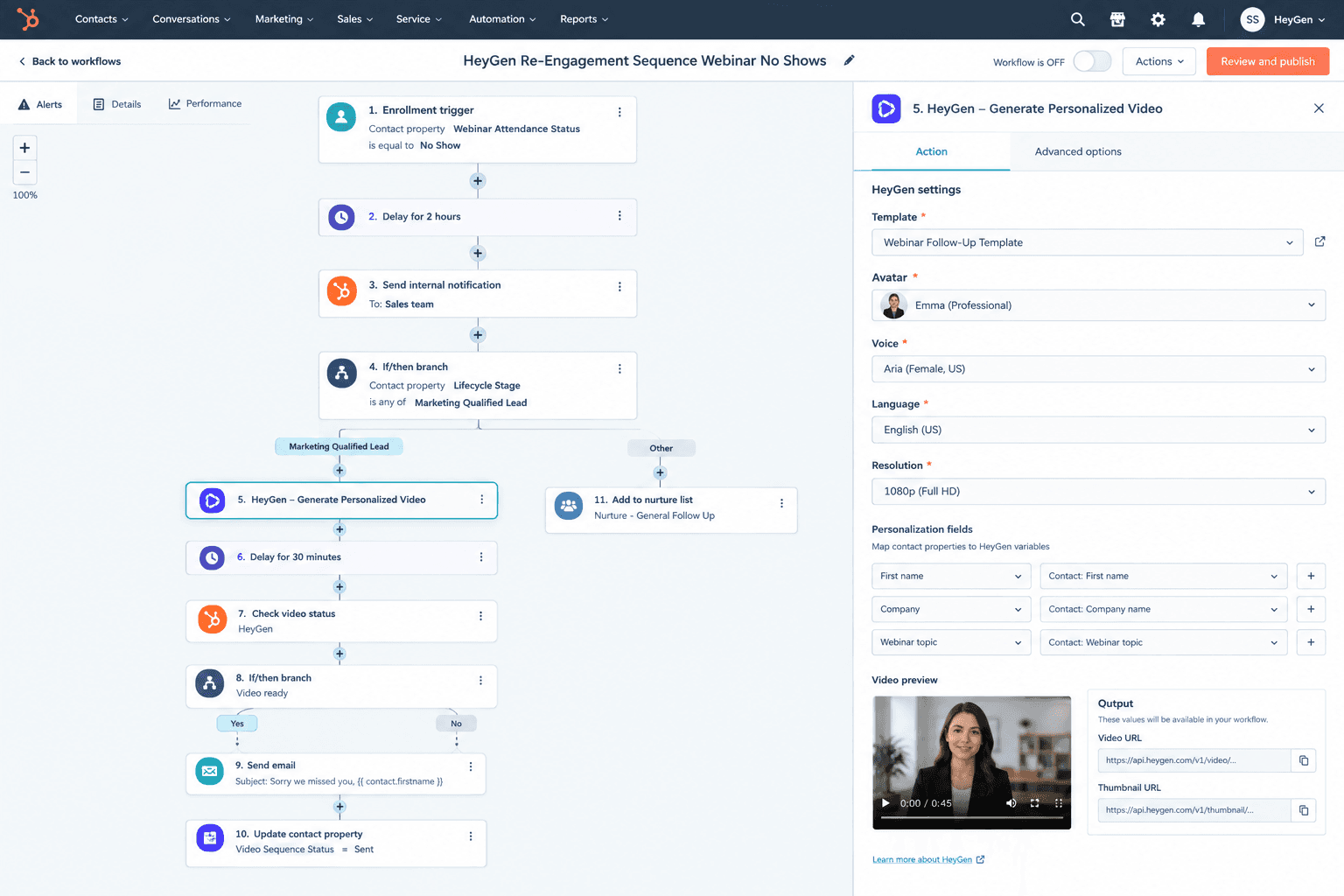
Example flow
HubSpot deal stage → contact data → HeyGen template → generated video → email and CRM update
Turn a list or library of source videos into a trackable multilingual publishing workflow.
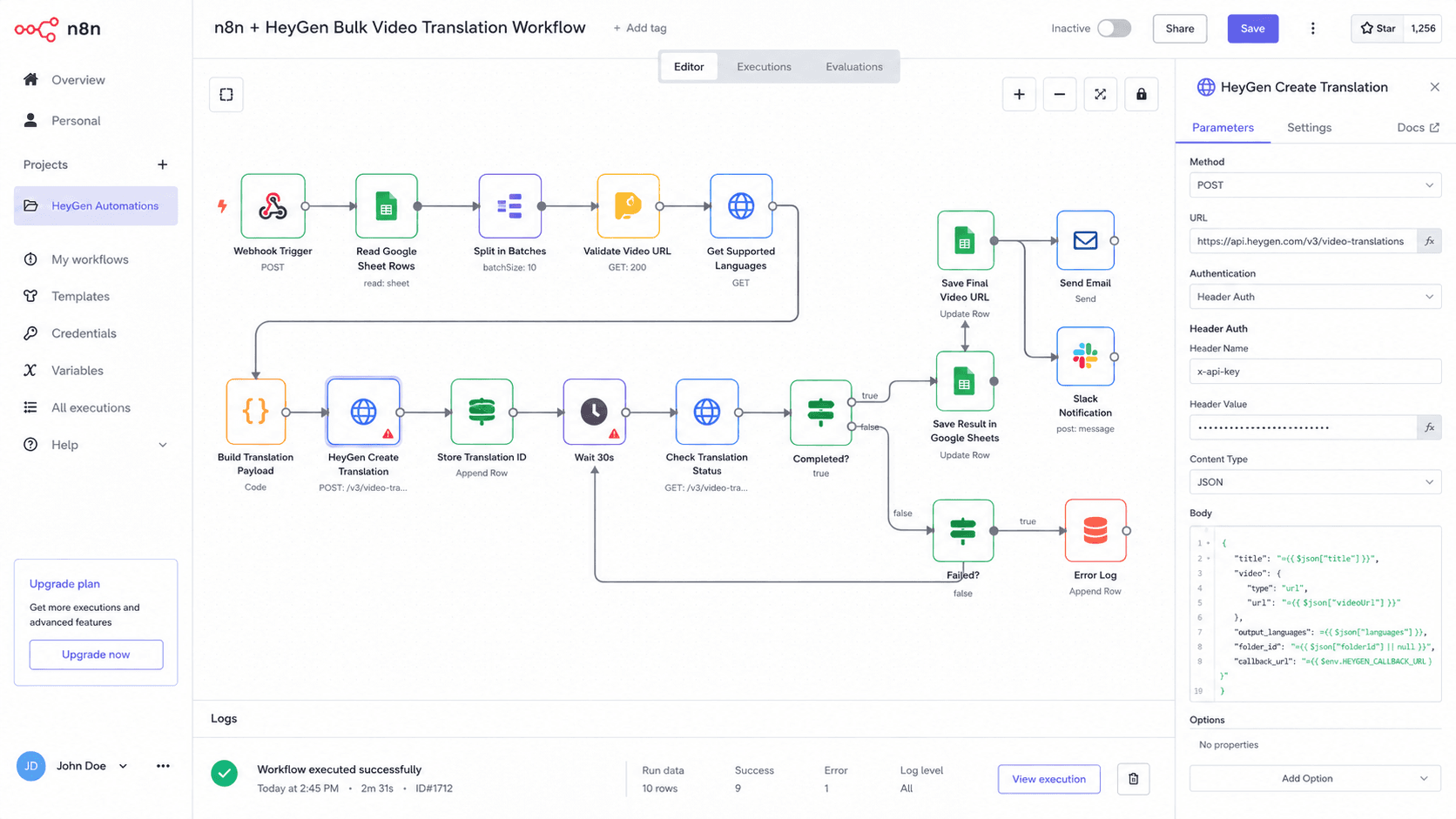
Example flow
Video list → target languages → translation jobs → status polling → output links → publishing notification
Launch real-time avatar experiences for support, onboarding, guided demos, or interactive customer journeys.

Example flow
Website or app → LiveAvatar session → knowledge source → conversation → human handoff or session log
Connect forms, spreadsheets, CRMs, email, Slack, and internal tools through no-code platforms or custom services.
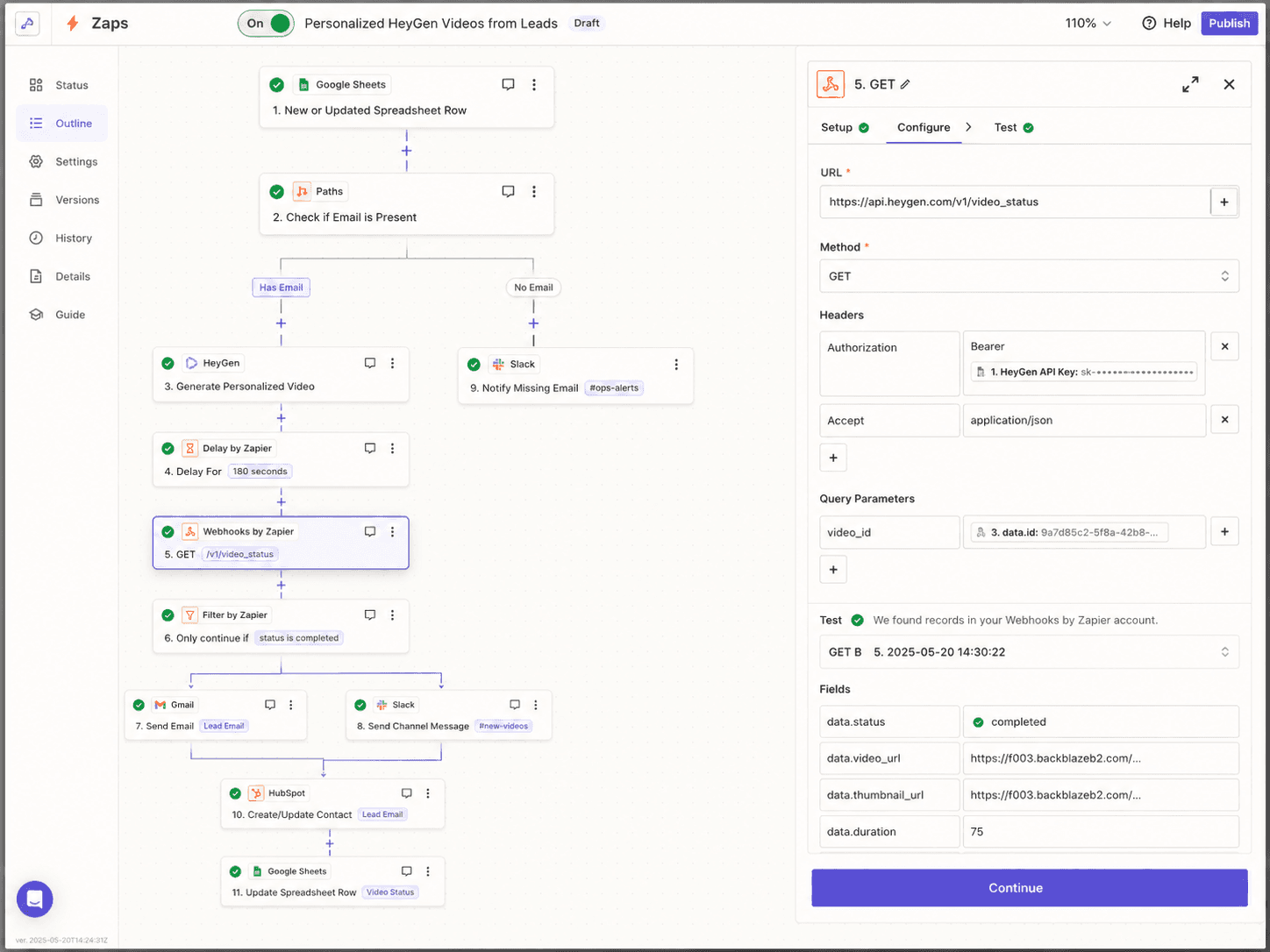
Example flow
Business trigger → n8n / Zapier / Make → AI-video action → status update → downstream task
These are the workflow designs I implement, shown end to end. Each one gets adapted to your stack during a pilot build.
01 / 03
Trigger to outcome
Business situation
A new lead, customer, or deal reaches a specific stage and should receive a relevant personalized video.
I handle
Operational outcome
A repeatable personalized-video workflow that operates from existing CRM activity.
02 / 03
Trigger to outcome
Business situation
A content team needs to translate many videos into multiple languages without manually tracking every render.
I handle
Operational outcome
A manageable localization pipeline instead of a collection of manual translation tasks.
03 / 03
Trigger to outcome
Business situation
A website or application needs an interactive avatar for onboarding, support, guided discovery, or product assistance.
I handle
Operational outcome
A customer-facing avatar experience that behaves like a product feature, not a disconnected demo.
A self-built Next.js playground that turns six HeyGen V3 capabilities into usable product flows. It demonstrates the product, API, automation, and async-job engineering behind real AI-video implementations.
The Lab runs against a live Enterprise API key, so it is not publicly hosted. Happy to walk through it on a call.
This is a self-built workflow lab and proof-of-concept, not a client project.
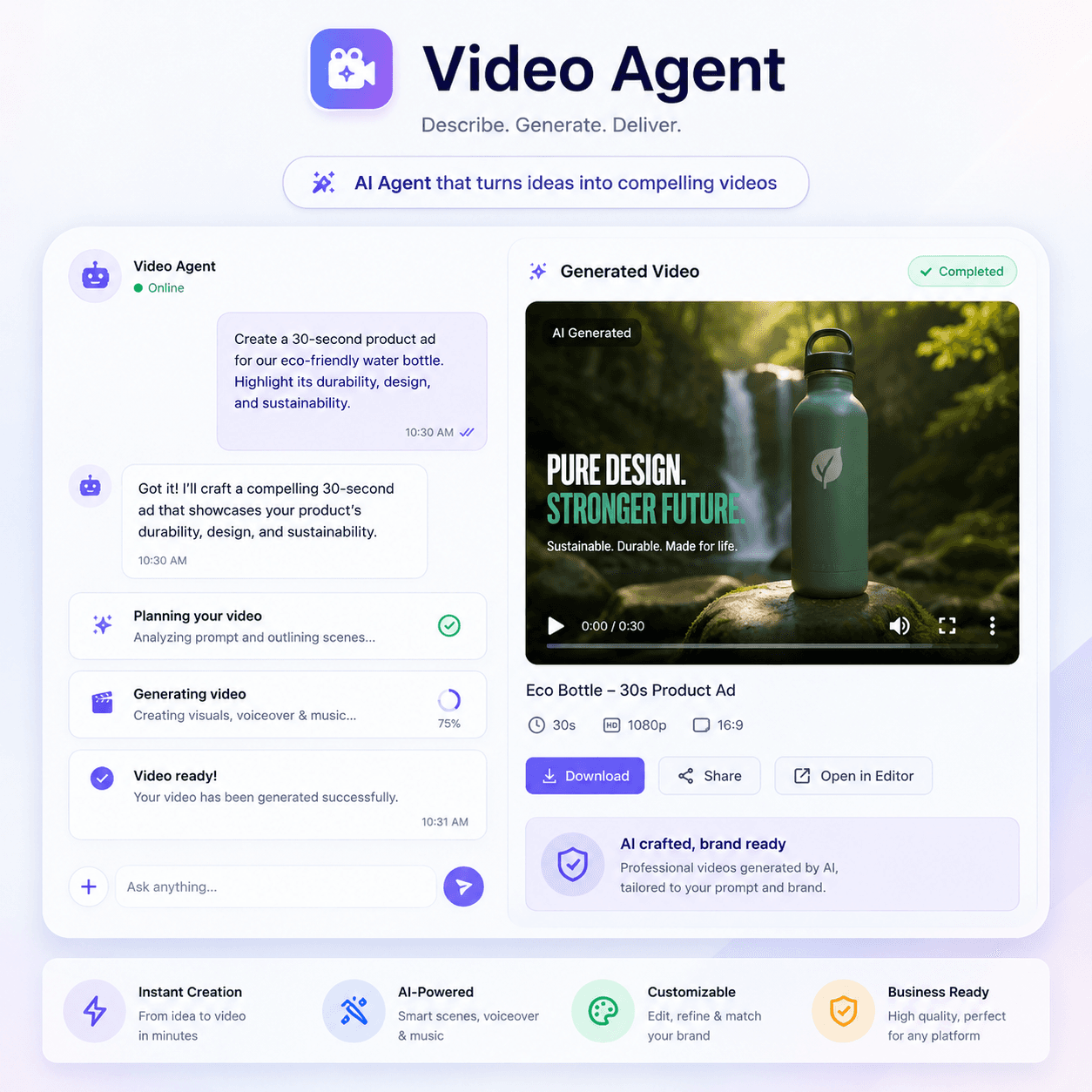
Feature chapter
01 / 06
proof-video-agent
Create prompt-to-video jobs through a focused interface and follow the request from user input to generated result.
01 / 06 · proof-video-agent
Create prompt-to-video jobs through a focused interface and follow the request from user input to generated result.
02 / 06 · proof-video-generation
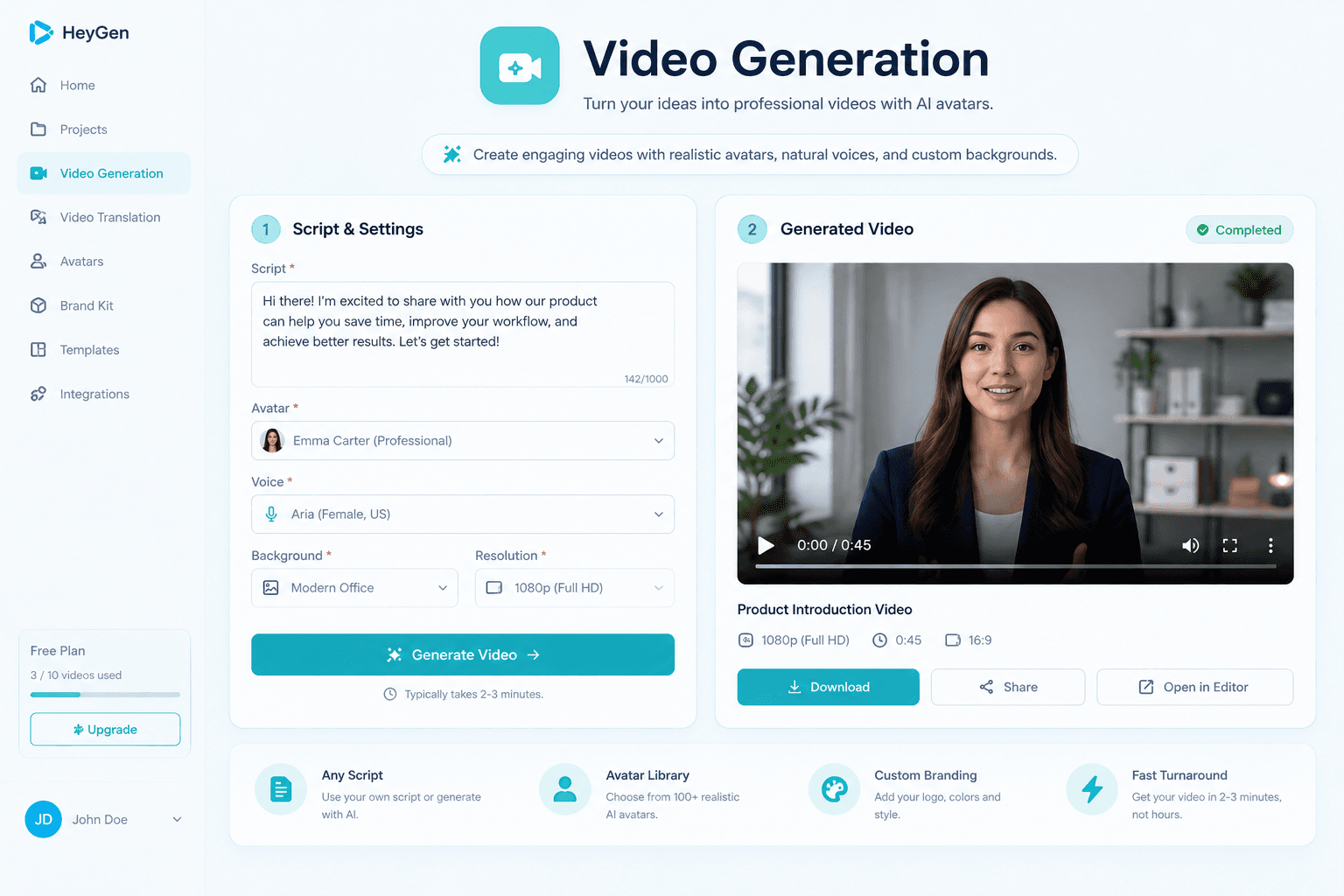
Choose an avatar, voice, script, and generation options, then submit and track the video through completion.
03 / 06 · proof-video-translation
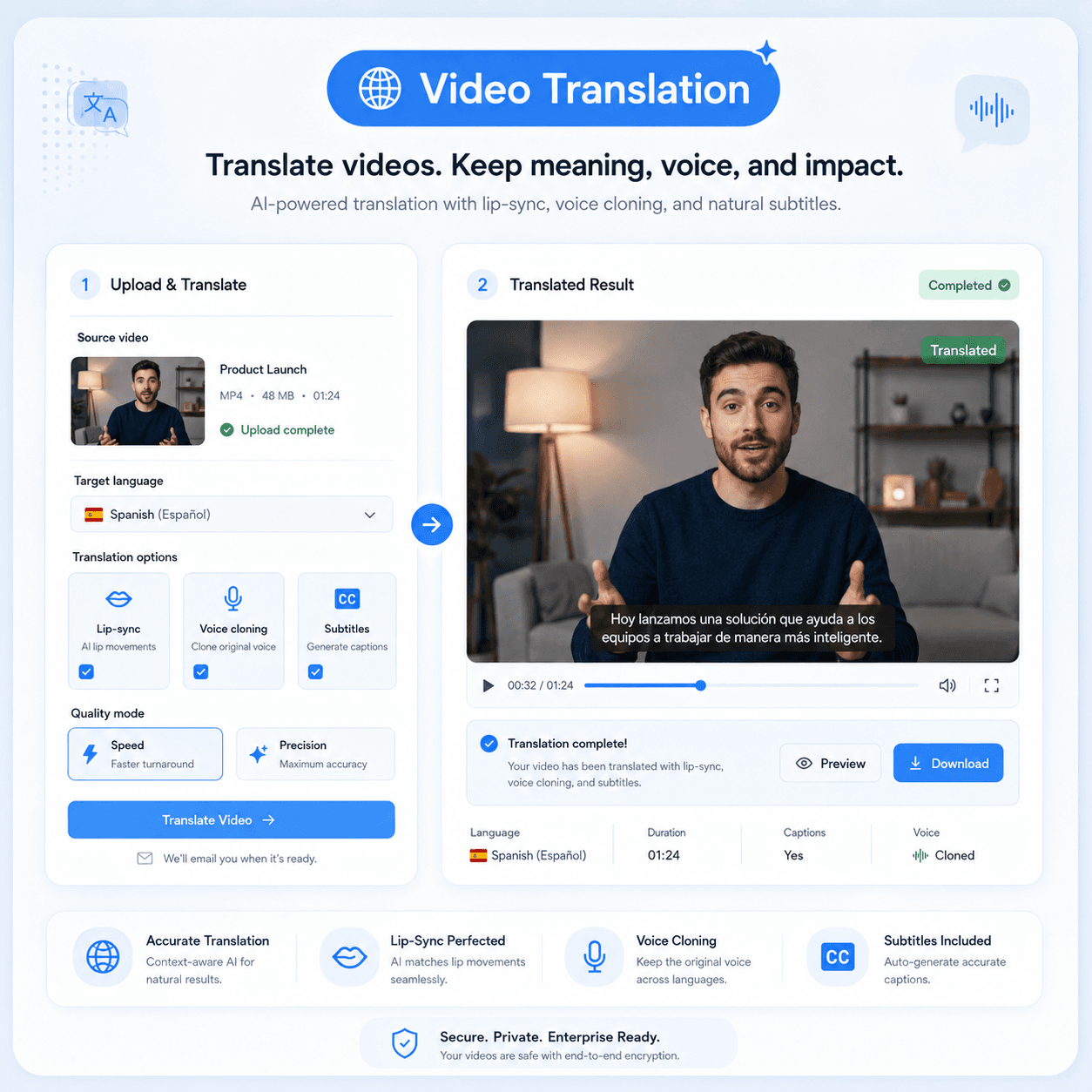
Submit a source video, choose target-language settings, track the translation job, and surface the completed multilingual outputs.
04 / 06 · proof-lipsync
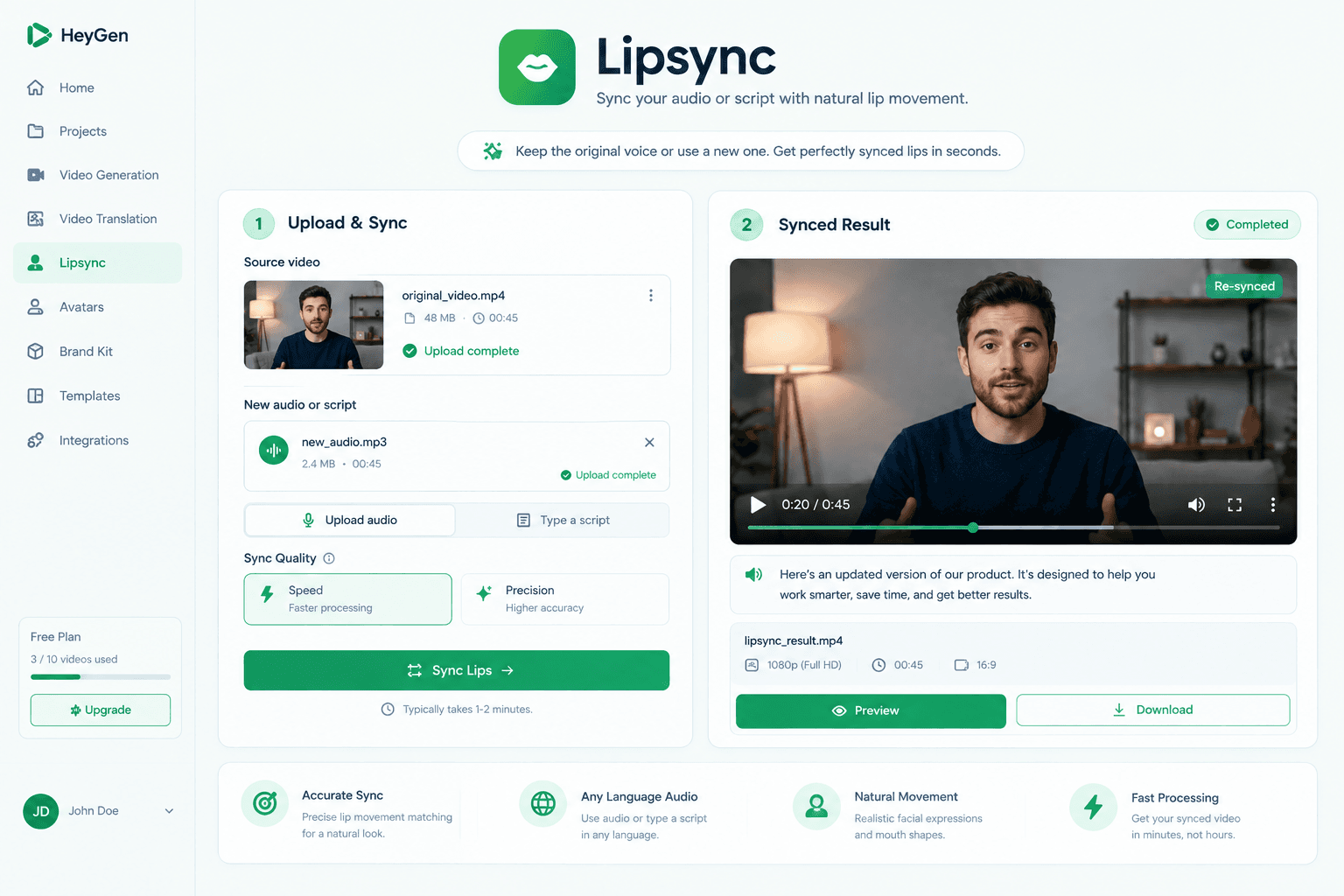
Pair video and audio inputs, validate the required assets, launch the lipsync job, and display the completed media.
05 / 06 · proof-proofreading
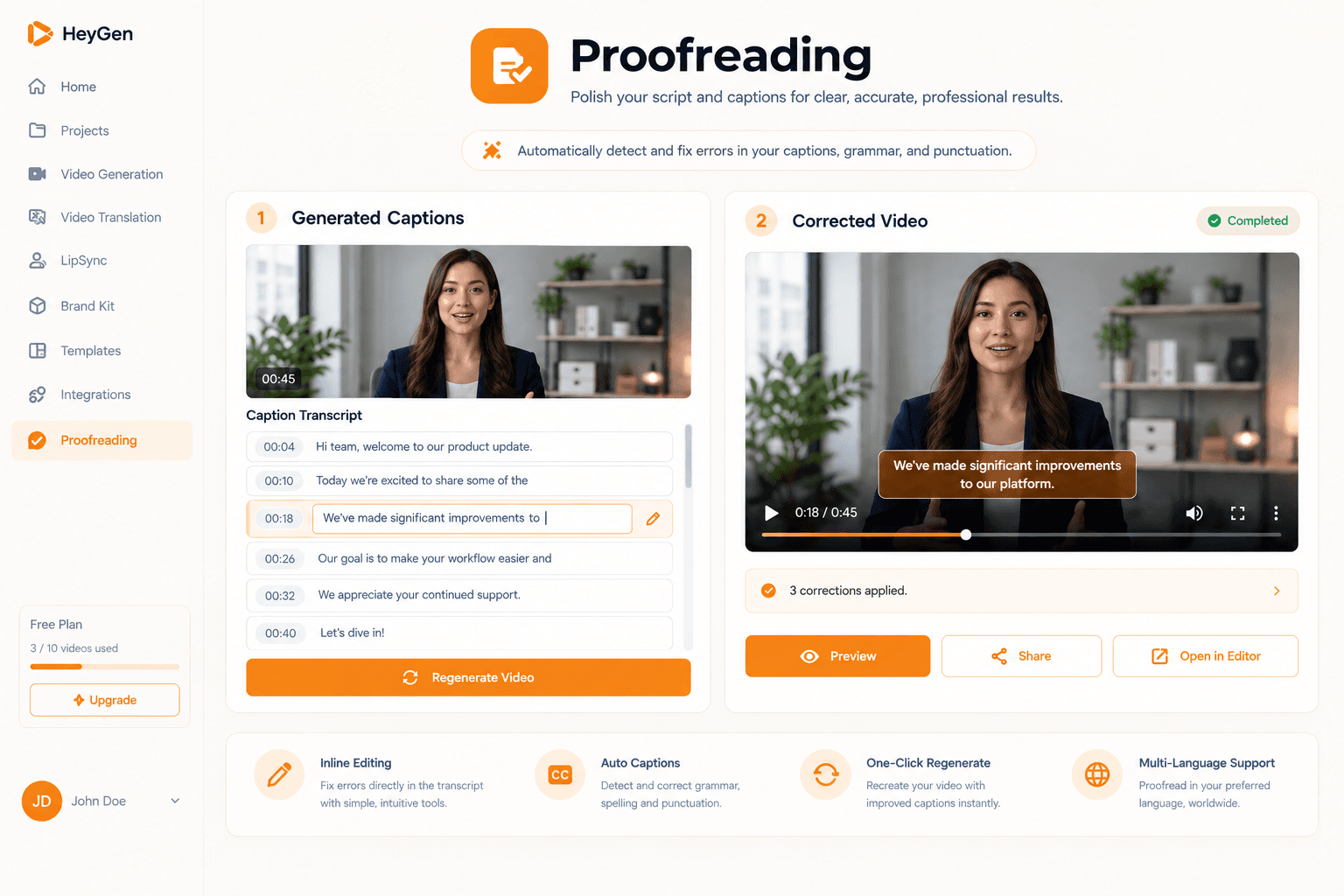
Review translated subtitle content, edit individual lines, resubmit corrections, and track the regenerated output.
06 / 06 · proof-voice-cloning
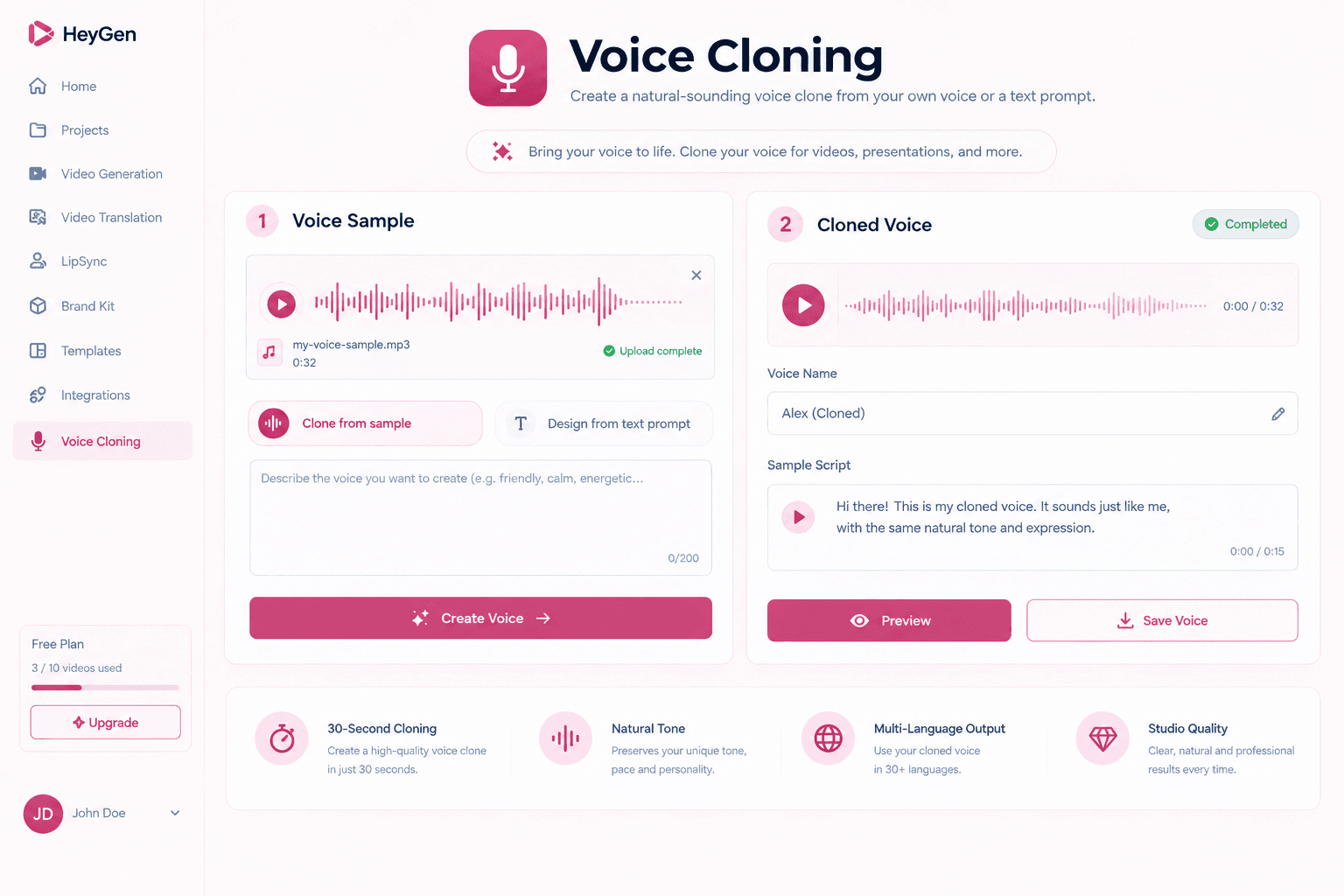
Collect the required audio and consent inputs, create a reusable voice asset, and make it available to future generation workflows.
Track long-running generation, translation, lipsync, and voice jobs without freezing the product experience.
Handle completion and failure events through resilient status logic and clear recovery paths.
Turn user and business inputs into clean, typed, validated requests for every capability.
This is the layer I bring to implementations: product UI, APIs, automation, infrastructure, and support working as one system.
You do not need one person for the interface, another for the API, another for automation, and another for deployment. I can connect those layers into one focused implementation.
Saad Sohail
Full-Stack & Cloud Engineer
The person you speak with builds it
Product interfaces, backend services, data handling, and integration logic built around the actual user journey.
CRMs, forms, spreadsheets, internal tools, n8n, Zapier, Make, custom APIs, and webhooks connected into one flow.
Environment setup, deployment, secrets, logs, monitoring, failure handling, and operational documentation.
Testing, launch assistance, refinements, troubleshooting, and 24/7 support for active implementation clients.
Working stack
Next.js | React | TypeScript | Node.js | PostgreSQL | Docker | AWS | REST APIs | Webhooks | n8n | Zapier
I work as an independent engineer, so the person discussing the workflow is also the person responsible for the implementation.
Instead of beginning with a large risky build, I help you select one clear business workflow and turn it into a working pilot with defined inputs, outputs, testing, and support.
01 / 04
What happens
I identify the user, trigger, business data, current tools, desired outcome, constraints, and success condition with you.
What you receive
A focused pilot brief and a clear definition of what should be built first.
02 / 04
What happens
I map the product flow, HeyGen or LiveAvatar capability, API requests, data movement, automations, integrations, security considerations, and failure states.
What you receive
A system map, implementation plan, and pilot scope.
03 / 04
What happens
I build one usable end-to-end workflow, including the required interface, integration logic, testing, deployment support, and documentation.
What you receive
A working pilot that can be reviewed with real inputs.
04 / 04
What happens
I refine the workflow with you, monitor it, resolve issues, add the next highest-value features, and support the live implementation.
What you receive
A stable operating workflow and a practical roadmap for scaling it.
Share the tools you use today, the manual process you want to remove, and the result you want the system to produce. I will help you identify a focused first pilot.
Focused pilot
Ready to scope